
Why a gym or a trainer needs a website
Hardly anyone starts training “blind” these days. Before coming in for the first time, people look you up on their phone, check the schedule, prices, photos and reviews and ask themselves whether they can trust you with their time and their body. If they can’t find it quickly, they go to someone they can. A website is your reception desk, your schedule and your business card in one, and it works even while you’re teaching a class and can’t get to the phone.
Step 1: Decide what the website is for
Before you get to colors and photos, name the main goal. For a gym or a trainer it’s usually clear: fill empty classes and win new clients. Everything else (the schedule, the price list, bookings) is just there to help. Once you know that, it’s easy to tell what belongs on the website and what is unnecessary decoration.
Step 2: What a gym or trainer website must contain
The bare minimum a client expects:
- A class schedule or a list of training options. Clear and easy to read, not something to be pieced together from Instagram.
- A price list including passes. Drop-in rates, class packs, memberships. People want to see the price up front.
- Easy booking. Online sign-up for classes, or at least a form and a phone number.
- Photos of the space and the classes. So the client can see where they’re going and what the atmosphere is like.
- A few words about you. For a trainer, this sells more than anything else; people choose a person.
- Reviews and contact details. Ratings from happy clients mean instant trust.
Step 3: An online schedule and class bookings
This is the heart of a fitness website. A schedule right on the page (not an image you can’t zoom into) is easy to read on a phone and the client instantly sees when there’s a free spot. And online booking saves you the most hassle of all: the client signs up on their own, even at two in the morning, and half the “do you still have space on Tuesday?” messages disappear. Demand for bookable classes is growing: according to ClassPass’s global data for 2025, Pilates was the most booked workout of the year. A trainer just starting out doesn’t need a system right away, though: a form or a phone number is enough, and you add bookings once the inquiries get too much.
Online class booking works even while you’re teaching a class. That’s the whole point: the client signs up on their own and you take care of the training.
Step 4: Photos and trust sell
Fitness sells on feeling and trust. A client wants to see where they’re going and whose hands they’re putting themselves in, and photos and a few words from you’re what carry that. A bright room, a real class, you at work. You don’t have to pay a photographer right away; a phone in daylight will get you decent shots. What matters is that it’s your real space and you, not stock photos of ripped models. People can tell the difference, and it’s the authentic feel they respond to.
Step 5: Getting found on Google
Even the prettiest website is useless if nobody lands on it. And because people read reviews and search for places nearby before they go, this part matters even more for fitness. Three things that make the biggest difference:
- Google Business Profile (the one on Google Maps): free and the fastest way for people searching “gym near me” or “yoga [your town]” to find you.
- A website focused on “fitness/yoga/trainer [your town]”, so that Google matches you to the right searches.
- Reviews. For a trainer or a studio they matter most of all; they raise both trust and your position in the results.
I’ve written up how to set up and fine-tune the profile in How to set up your Google Business Profile.
Step 6: Mobile first
The vast majority of clients will look you up on their phone: after a workout, on the way home from work, when deciding where to work out. So the website has to be fast and clear on a phone: a large, readable schedule, booking in a couple of taps, photos that load quickly and a phone number one touch away. If the website “jumps around” on a phone or takes ages to load, the client leaves before they find out what you offer.
How to do it without the stress
You have two options. Do it yourself with a website builder (Webnode, Wix): cheap, but it takes time and you pay every month, forever. Or a custom website, where someone builds the whole thing for you. The way I do it, I prepare the copy and the structure for you, advise on photos and handle the whole launch (domain, schedule, Google, class bookings if needed), so you look after your clients, not the tech.
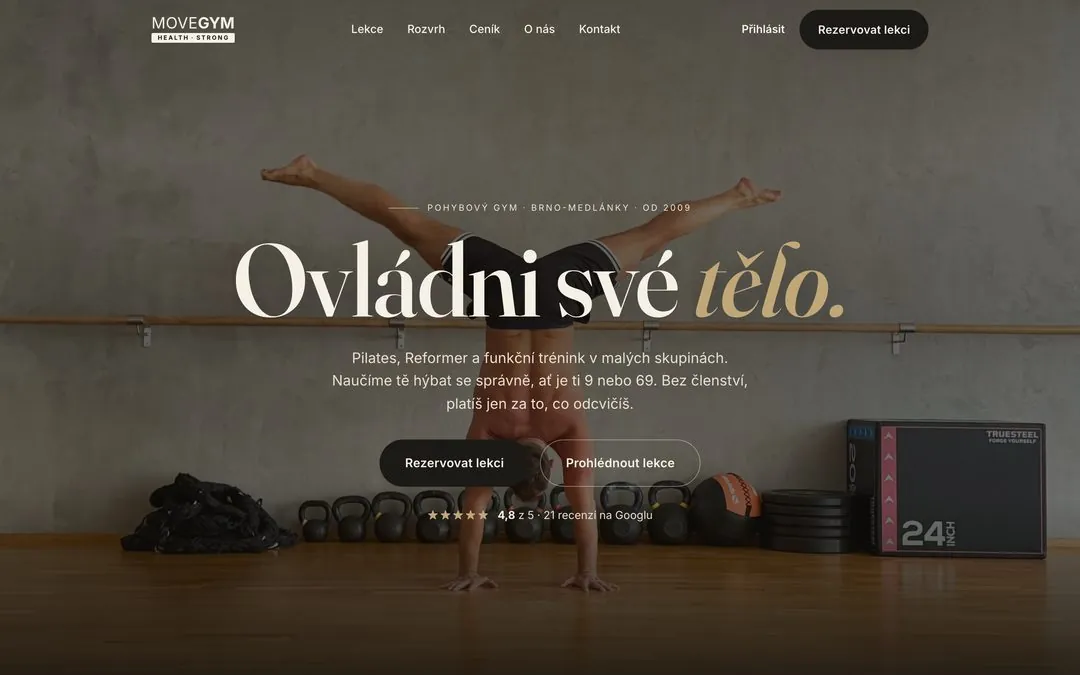
You can see what such a website with bookings looks like in real use in the MoveGym Brno case study, and there’s more on what I can build for fitness businesses on the websites for fitness & wellness page.